In the ever-evolving world of gaming, having the right hardware can make all the difference. A custom-built gaming PC not only provides superior performance but also allows gamers to tailor their system to their specific needs and preferences. Whether you’re a casual gamer or a competitive esports enthusiast, this guide will help you navigate the complexities of building your own gaming rig.
Understanding the Basics of Gaming PC Components
Before diving into the building process, it’s crucial to understand the main components that make up a gaming PC. At the heart of every gaming rig is the CPU (Central Processing Unit), which acts as the brain of the computer. It determines how quickly your system can process information and execute commands. For gaming, a powerful CPU is essential, especially for modern titles that demand high processing power.
Next up is the GPU (Graphics Processing Unit). This component is responsible for rendering images, animations, and video for the monitor. A high-performance GPU is vital for a smooth gaming experience, particularly for graphically intensive games. Brands like NVIDIA and AMD offer a variety of options catering to different budgets and performance levels.
Other essential components include the motherboard, which connects all parts of the computer; RAM (Random Access Memory), which affects multitasking capabilities; and storage solutions like SSDs (Solid State Drives) and HDDs (Hard Disk Drives), which store games and data. Balancing these components is key to achieving optimal performance.
Choosing the Right Components for Your Build
When selecting components for your gaming PC, one important consideration is your budget. High-end components can be quite expensive, but there are always budget-friendly options that can still provide excellent gaming experiences. For instance, while the latest GPU models may be tempting, last-generation models often offer great value for money without sacrificing too much performance.
Another factor to consider is compatibility. Not all components work well together, so it’s essential to check compatibility before making purchases. Websites like gaming PC builder can help you ensure that all your components will fit and work together seamlessly.
Furthermore, think about the type of games you play. If you’re into competitive titles like FPS (First Person Shooter) games, you may prioritize a higher refresh rate monitor and a more powerful GPU. On the other hand, if you enjoy single-player RPGs, you might want to invest more in storage and RAM for a better overall experience.
Assembling Your Gaming PC: Step-by-Step
Once you have all your components, it’s time to assemble your gaming PC. Start by preparing your workspace. Ensure you have all tools handy, including a screwdriver and anti-static wristband to prevent damage to sensitive components.
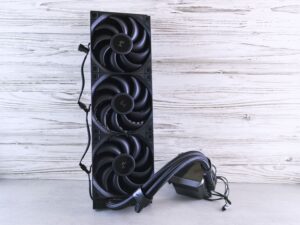
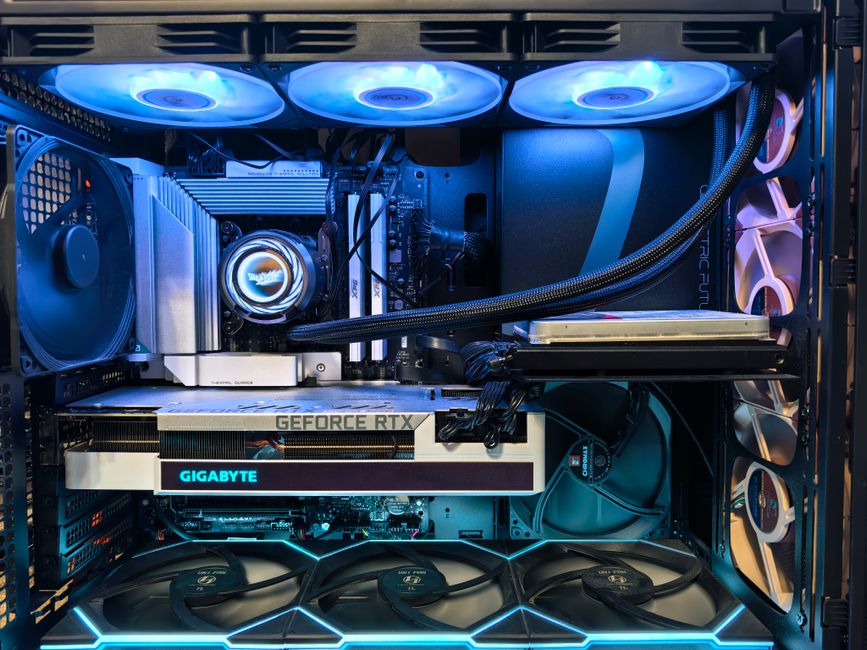
Begin by installing the CPU onto the motherboard. Carefully align it according to the notches and secure it in place. Next, install the RAM sticks into their respective slots, ensuring they click into place. After that, attach your CPU cooler to keep your system from overheating.
The next step is to install the motherboard into the case. Secure it with screws and ensure all ports are accessible. Then, install the GPU into the PCIe slot, followed by connecting your storage drives. Finally, wire everything up, ensuring power cables are connected to the motherboard, GPU, and any fans.
Testing and Optimizing Your Build
After assembling your gaming PC, it’s crucial to test it to ensure everything is functioning correctly. Start by booting up the system and entering the BIOS. Here, you can check if all components are recognized and adjust settings if needed. Running benchmarks can help you gauge your system’s performance and identify any potential issues.
Optimization doesn’t just stop at hardware. Software plays a significant role in performance. Ensure that your operating system and drivers are up to date. Additionally, consider optimizing your game settings based on your hardware capabilities to achieve the best performance without sacrificing graphical fidelity.
Lastly, regular maintenance is key to keeping your gaming PC in top shape. This includes cleaning dust from fans and components, monitoring temperatures, and checking for software updates.
Conclusion: Enjoying the Fruits of Your Labor
Building your own gaming PC can be a rewarding experience that enhances your gaming journey. Not only do you gain a deeper understanding of how each component works, but you also have the satisfaction of knowing that your system is tailored to your needs. With careful planning, selection, and assembly, you can create a powerful gaming rig that will serve you well for years to come. So gather your components, follow the steps outlined in this guide, and get ready to enjoy an immersive gaming experience like never before!